
Your calendar.
On your reMarkable Move.
Finally.
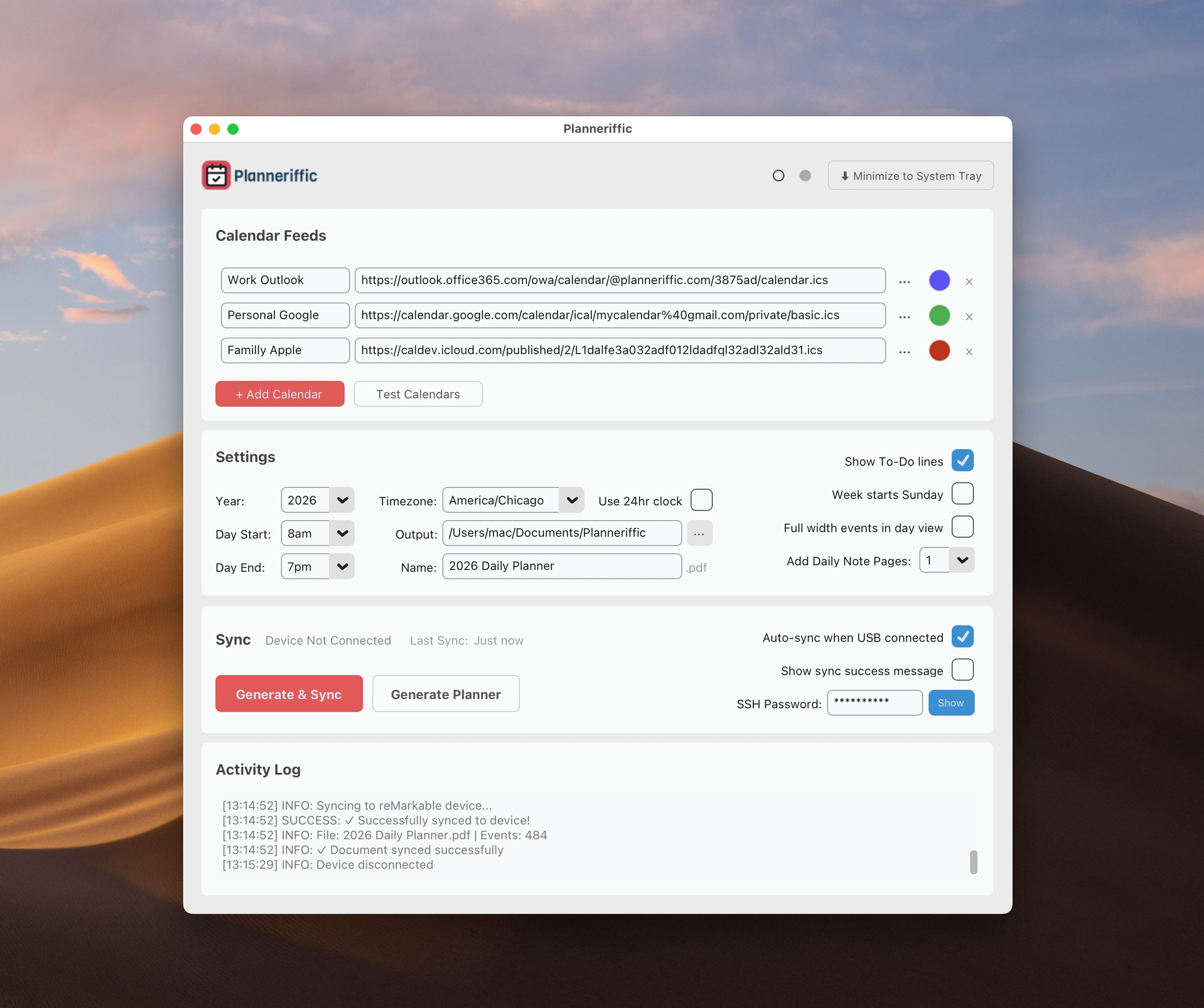
Planneriffic syncs your Google, Outlook, and Apple calendars to your Move—automatically.
No credit card · No signup · Mac & Windows
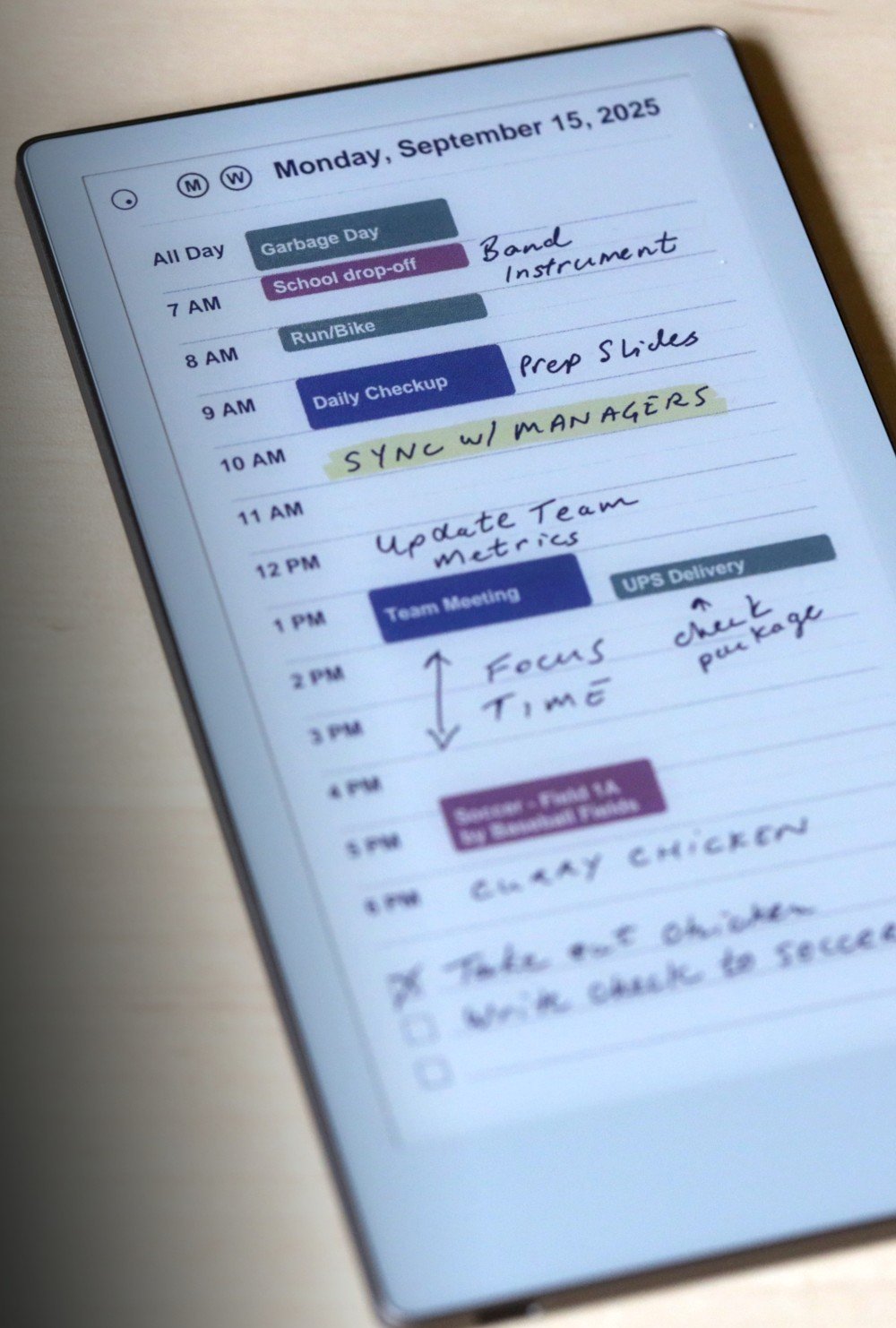
"I'm amazed that my handwritten notes are retained when a new sync takes place!"
— Gabriel, reMarkable Move user
Without Planneriffic
- Manually copy events to blank PDFs
- Forget to update when plans change
- Rewrite the same recurring events every week
With Planneriffic
- Events sync automatically from your calendar
- Always current when plans change
- Ready to use the moment you sync
How it works
1. Add your calendars
Paste the URL from Google, Outlook, or Apple Calendar.
2. Connect your Move
Plug in via USB.
3. That's it
Planneriffic syncs automatically every time you connect.
Four ways to view your schedule
Tap any date to jump between views. Your planner is fully interactive.
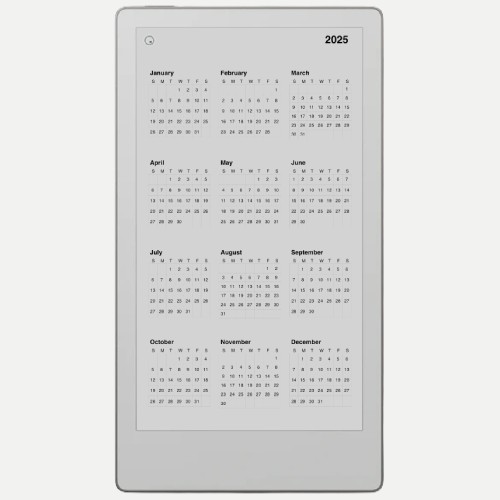
Year View
See all 12 months. Tap to jump.
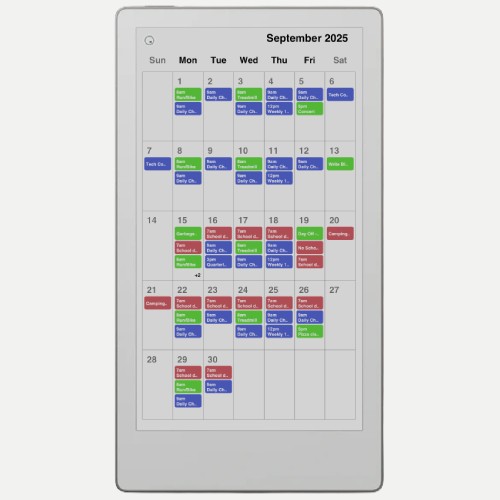
Month View
All your events at a glance.
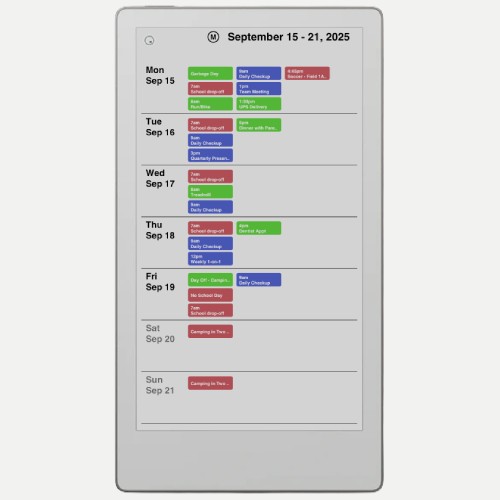
Week View
Plan your week ahead.
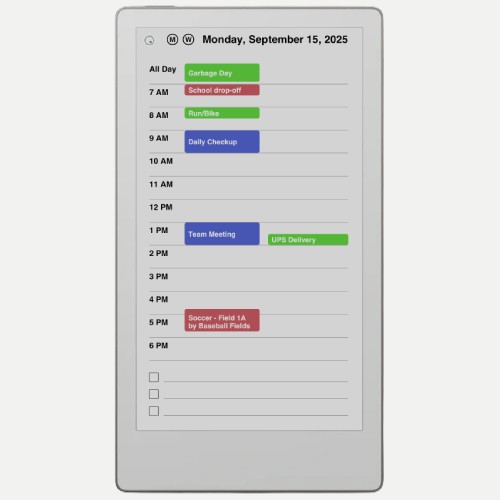
Day View
Hourly schedule + notes.
Unlike blank PDF planners,
Planneriffic imports your actual events
and syncs automatically.
No copying. No manual entry. Just your calendar.
"Once you set it up, it automatically syncs your calendars from Google, Apple, Outlook into a very effective calendar for my Move. I'm amazed that my handwritten notes are retained when a new sync takes place!"
"Planneriffic is an app that I use every single day. It makes planning my week and thinking one step ahead so much easier."
Questions
How does the free trial work?
Do I need Developer Mode?
Which calendars can I import?
Will my notes be preserved?
What happens after I buy?
Ready to try it?
Download free. Use every feature for 7 days.
No credit card · No signup
Like it? $29 unlocks it forever.
Buy a license →