
Planneriffic 1.3 is now available - Free Trial, Light Mode, Toolbar Space, and More
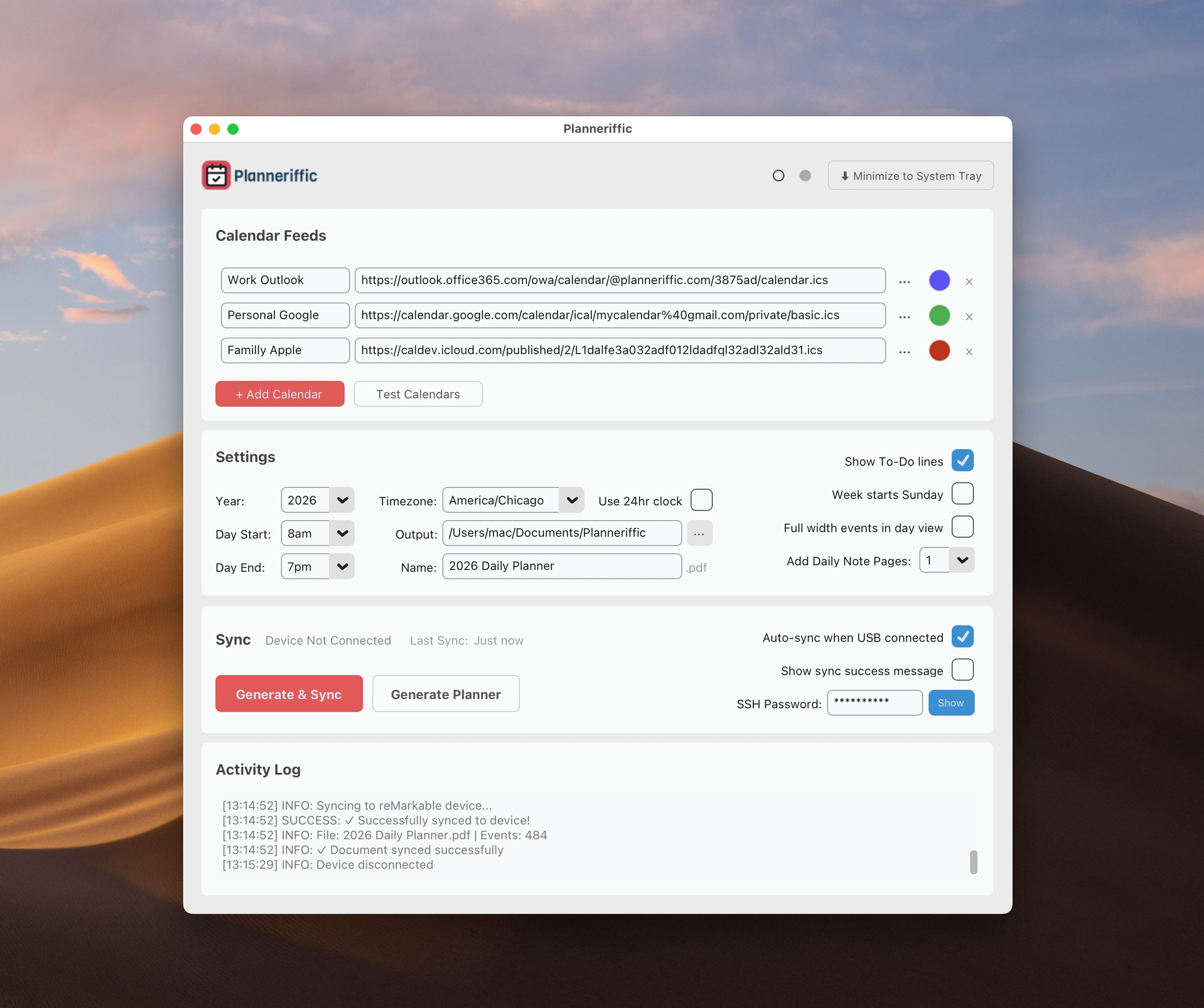
As of today, both the Mac and Windows versions of Planneriffic are updated to version 1.3. This release introduces a 7-day free trial so you can try everything before you buy, plus a fresh new look with light mode, brand-aligned colors, a more compact layout, improved PDF navigation, and smarter sync logic.
Try Before You Buy - 7-Day Free Trial
I want everyone to be able to experience Planneriffic before committing to a purchase. Starting with this release, you can download and use the full version of Planneriffic free for 7 days - no credit card required, no signup required, no feature limitations.
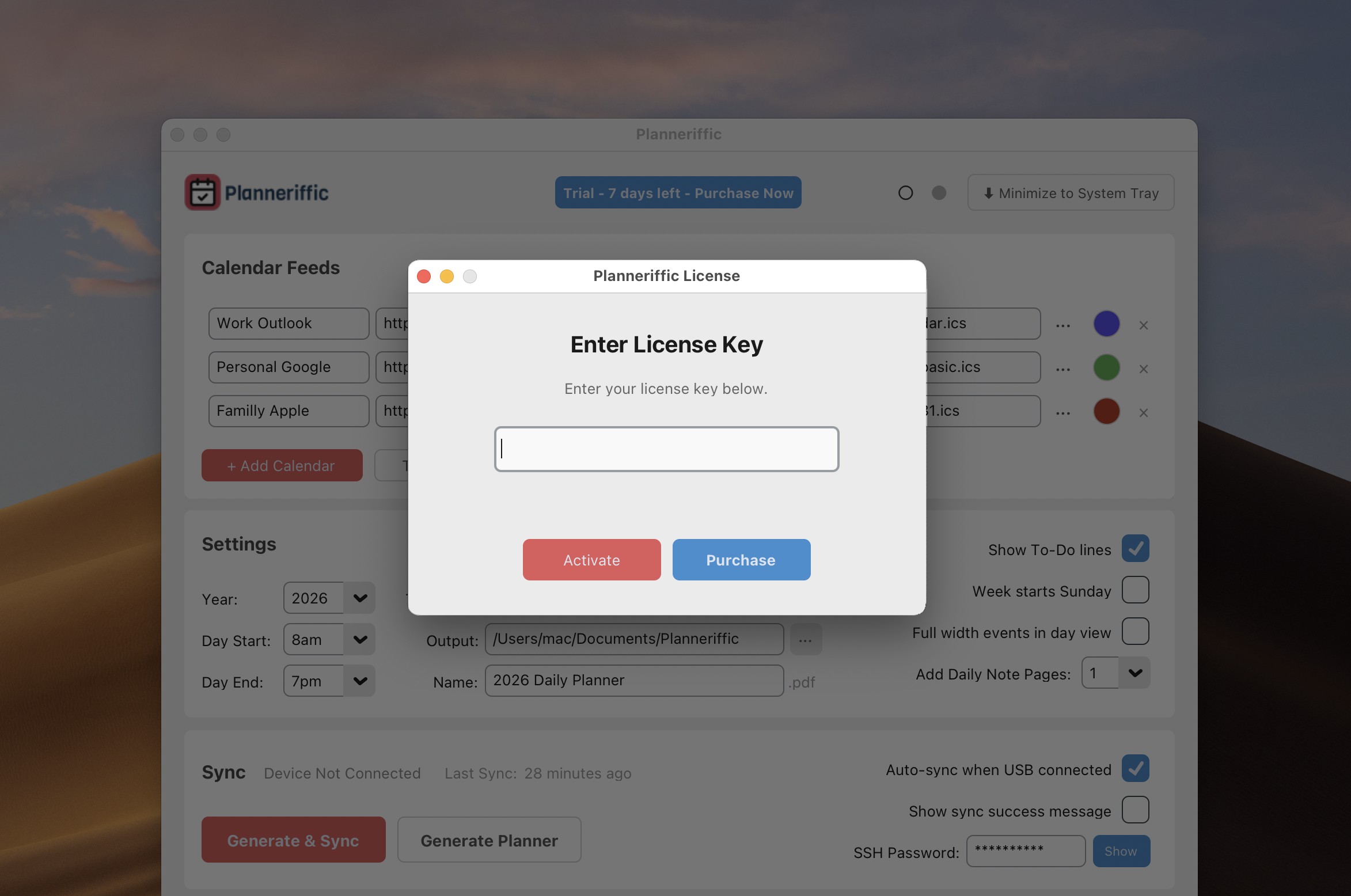
During your trial, you'll have access to everything: generate complete year planners, sync to your reMarkable, set up multiple calendars, customize your settings - the works.
If you love it (and I think you will!), you can purchase a license at any time. Your license key will be emailed to you immediately after purchase, and you just enter it in the app to unlock it forever.
No more separate "Demo" versions with watermarks. Just one download that gives you the full experience from day one.
Light Mode is Here
The most visible change in this release is the new light mode, which is now the default for all users. The interface uses muted greys and an off-white background that matches the reMarkable aesthetic - clean, minimal, and easy on the eyes.
Of course, if you prefer dark mode, it's still available. Just use the new theme toggle in the header - the open circle (○) switches to light mode, and the filled circle (●) switches to dark mode. Your preference is saved automatically.
Redesigned Settings Section
I've also updated the visual design and layout so that everything is better organized and more compact.
The Settings section has been reorganized into a cleaner three-column layout. The right column now contains just four options: Show To-Do lines, Week starts Sunday, Full width events in day view, and Add Daily Note Pages. Everything is more logically grouped and takes up less vertical space.
The old "Device Status" section has been renamed to simply "Sync" and completely reorganized for a more compact layout.
Smarter Sync Priority
This release fixes an issue that could cause duplicate planners on your device each time you sync, even if you have Developer Mode enabled.
When reMarkable recently released a software update to the Move, some users found that the USB Web Interface option was automatically enabled in Storage settings.
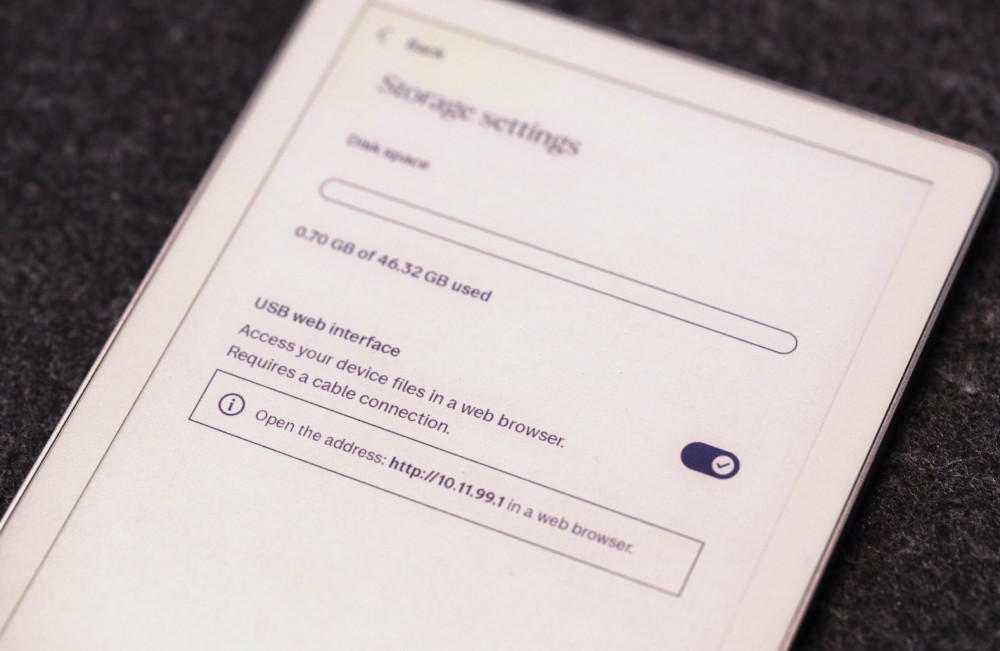
So even if you had previously set up Developer Mode with an SSH password, Planneriffic would sometimes still use the Web Interface instead - which creates a new document on sync, rather than replacing the existing one.
Now, if you have an SSH password configured, Planneriffic will always prioritize Developer Mode sync. This ensures your existing planner gets replaced (preserving any handwritten notes you've synced to the cloud) rather than creating duplicates. The Web Interface is only used as a fallback if SSH fails, or if you haven't configured an SSH password.
The device status now also shows "(Developer Mode)" when you have an SSH password configured, so you know which sync method will be used.
Toolbar-Friendly Layout
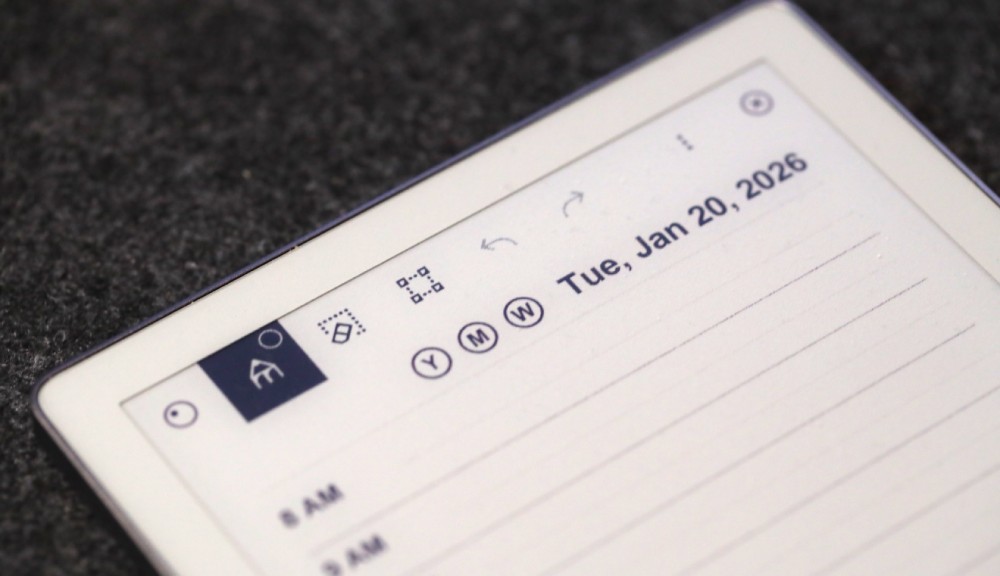
If your reMarkable Move toolbar is positioned at the top of your screen, it will obscure the Planneriffic navigation buttons and date headers. So in this version, I've moved everything down so that the reMarkable toolbar doesn't interfere.
If you prefer the reMarkable toolbar position on the left, right, or bottom of the screen, it can still get in the way of Planneriffic pdf elements. In the next version I'll tackle this as an option so you can maximize your use of the small Move space, rather than add space to all 4 sides of the PDF.
Automatic Migration for Existing Users
If you're upgrading from a previous version, look out for an email with your new license key. Just enter it in the app to unlock the full version. Your existing settings and planner templates will be preserved automatically.
What's Next?
Version 1.3 will be the last release with the current UI and planner template. I'm currently working on a major new version of Planneriffic that I'm really excited about:
- Multiple templates - Choose a planner layout that works best for you, not just the default one
- Customizable templates - Adjust colors, fonts, and layout options to create a truly personalized planner experience
- Support for more reMarkable devices - Expanding beyond the reMarkable Pro to support other models in the lineup
- ADHD-friendly planning - New templates and features specifically designed for reMarkable users with ADHD, helping you structure your day in a way that actually works with your brain
I don't have a release date yet, but development is underway. If you have ideas for templates or features you'd love to see, I'd love to hear from you!
Feedback Welcome
I'm always looking to improve Planneriffic. If you have any feedback on the new design or suggestions for future updates, feel free to reach out via the contact form on the website.