

Supernote Manta vs reMarkable 2: Which Fits Your Note System?
The Supernote Manta is the better note system for anyone whose notes pile up and need finding again, while the reMarkable 2 is the calmer, simpler notebook, though reMarkable now sells it refurbished only. Because you can lasso handwriting to create titles and keywords, you can find a thought again long after you wrote it. The reMarkable 2 keeps things simpler, with folders and tags.
The Hardware in Brief
The Supernote Manta features a 10.7-inch screen that shows 300 PPI for sharp lines, which makes text look much crisper than many other tablets while it weighs about 375 g. It holds 32GB of space, and a microSD slot takes up to 2 TB of files. This build is 6.0 mm thick, so it feels sturdy in your hand compared to thinner models. Since it lacks a front light, you'll need a lamp if you want to write in the dark.
reMarkable 2 offers a 10.3-inch display that is only 4.7 mm thin, though it weighs more at 403.5 g. Its screen only has 226 PPI, which means the writing looks a bit softer than on the Manta. You get 8GB of storage here, which might limit how many books you can keep on it. Since the reMarkable 2 is discontinued, the Paper Pure is now the new choice for those buying today, and the Supernote vs reMarkable 2 buying guide covers that decision.
Choosing between these two depends on whether you value a sharper screen and more storage, or if you prefer a very thin tool that fits easily in a small bag. The Manta gives you more room for files, which helps if you store a lot of large PDFs for school work. Neither tablet has a light, so you won't be able to work in bed without an external source of light. It's a tough call.
How Each One Organizes Your Notes
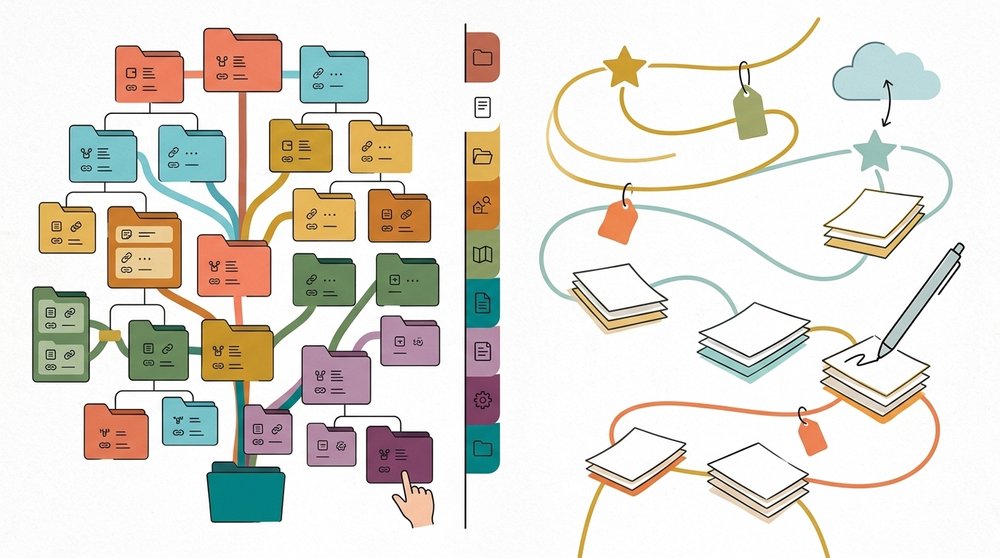
The Supernote Manta lets you sort your thoughts by lassoing handwriting into titles and keywords, which helps you find specific ideas without digging through dozens of digital pages. You can draw a star in one stroke to mark a page, and then the Navigation Window lets you find that exact spot instantly. This system recognizes handwriting in over 60 languages, so you can search your notes even if you write in a native tongue. It makes the digital notebook feel active rather than just a stack of static files.
The reMarkable 2 relies on a simple structure of folders and tags to keep your documents in order, but this can feel limited when you have a large amount of work. You can't search your handwriting unless you pay for the Connect service, which adds a recurring cost for users who want deep search tools. Without that subscription, you find old entries by folder, tag or scrolling. This is a big hurdle for people who rely on quick data retrieval.
Because the Supernote lets you tag specific lines of text, you won't worry about losing a brilliant idea in a sea of random sketches. You can use the Navigation Window to jump between notebooks quickly, which saves time when you are managing multiple projects at once. This flexibility means you can spend more time writing and less time hunting for what you wrote. It is a tool that grows with your library of information.
While the reMarkable 2 keeps things very clean, the lack of handwriting search without Connect means you might find yourself re-reading entire pages over and over. You are betting that your memory is good enough to keep track of every detail. For many, that risk is too high to take with a primary note system.
Templates and Planners
Because the Supernote Manta allows you to add your own page templates by dropping image files into the MyStyle folder, you can create a layout that fits your exact needs instead of being stuck with what the manufacturer provides. This flexibility is great if you want a specific grid or dot pattern for your daily logs, but you'll need to make sure the files are exactly 1920 by 2560 pixels so they look right. The reMarkable 2 doesn't let you do this at all, so you're stuck with the built-in options or you have to import everything as a PDF, as the planner templates guide explains.
Both devices handle hyperlinked PDF planners, which means you can tap the screen to jump between your day, week, and month views. Since neither tablet has a real calendar app, you have to rely on these digital files to keep track of your schedule throughout the year. On the reMarkable 2, you have to use your finger to activate the links, which can feel a bit odd while holding the pen. It's a trade-off.
The lack of custom template support on the reMarkable 2 means you can't build a bespoke notebook system that grows with your habits over time. If you rely on a very specific layout for your work, the Manta is the better bet because it lets you design your own pages. This choice changes how you use the tool every single day.
Sync, Export and Leaving Later
The Supernote Manta lets you use the free Supernote Cloud or back up your work to Dropbox, Google Drive, and OneDrive without forcing you to pay for a monthly service plan. It reads many file types like Word and EPUB, so you don't have to convert everything before you write. You won't worry about losing your notes because the system keeps your files safe in whichever cloud you choose. This way of working means you can move your data easily if you decide to switch to another tablet later.
Using the reMarkable 2 requires the Connect service for unlimited cloud storage, though you can still use free cloud drives like Google Drive or Dropbox for basic tasks. If you don't pay for the service, only your files from the last fifty days stay in the cloud storage. This limit might feel tight if you keep a huge library of old notes, which you want to access at home. It's a simple way to work for those who don't need much.

The Manta features a replaceable battery and an upgradable motherboard, which is a big change from how the reMarkable 2 is built with tight glue and hidden internal parts. You can swap the battery yourself, if it wears out after several years of heavy use every day. The reMarkable 2 is much harder to fix, because the design makes it difficult to open without breaking things. This hardware setup affects how long the tablet stays functional for your daily writing and note-taking needs.
When you buy a tablet that is glued shut, you're betting that the hardware won't fail before you are ready to buy something new. The Supernote makes it easier to leave the ecosystem because it reads many file types and backs up to the cloud drives you already use. You keep control over your data, which matters when you eventually stop using that specific tablet altogether. This open style ensures that your hard work stays yours no matter what tool you pick next year.
Frequently Asked Questions
Is the Supernote Manta better than the reMarkable 2 for notes?
The Supernote Manta is better for users who need expandable storage and the ability to repair their own hardware over time. It features a modular design and a microSD slot that holds up to 2 terabytes of data. The reMarkable 2 only offers 8GB of internal storage with no way to expand it. You'll find the Manta more useful if your note library grows large.
Can I search handwriting on either?
Both devices allow for handwriting search, but the reMarkable requires a paid Connect subscription to access this specific feature. The Supernote Manta recognizes handwriting in over 60 languages without any recurring monthly fees. You can also lasso text to create keywords and stars for finding specific pages later.
Does the Manta have a front light?
The Supernote Manta does not have a front light, so you must use an external lamp if you write in dim rooms. The reMarkable 2 also lacks a built-in light on its monochrome display. The reMarkable Paper Pro and Paper Pro Move include an adjustable reading light, and the Supernote vs reMarkable brand comparison covers the whole lineup.
Is the reMarkable 2 still sold?
The reMarkable discontinued the reMarkable 2 and now only sells that model refurbished to interested customers. Its successor, the Paper Pure, was announced in May 2026 with a replaceable battery. You won't find a brand new reMarkable 2 in most retail stores anymore.
Can I add custom templates to the Manta?
The Supernote Manta allows you to add custom page templates by dropping PNG, JPG, or WEBP files into the MyStyle folder. This flexibility lets you create specific layouts for your digital notebooks. The reMarkable 2 does not support installing custom templates and requires you to use PDF documents instead. On the reMarkable Paper Pro Move, Planneriffic can build a planner from your calendar.